Saturday, October 24, 2026

Saturday, October 24, 2026
* All product/brand names, logos, and trademarks are property of their respective owners.
Most people who use a computer every day have a working mental model of what is inside it. There is a processor that runs things, some memory that holds things temporarily, storage that keeps things permanently, and a graphics card if the machine does anything visually demanding. That model is accurate as far as it goes, but it misses a remarkable amount of what is actually happening inside a modern PC. Beneath the components that get listed on the specification sheet and discussed in reviews, there is a layer of technology that most users never think about, rarely interact with directly, and yet depends on constantly. Understanding it does not require an engineering degree, but knowing it exists changes how you think about the machine sitting on your desk.
When you press the power button on a PC, the operating system does not start immediately. Before Windows or Linux or any other operating system loads a single file, a separate layer of software embedded directly in the hardware takes control of the system, checks that the hardware is functioning correctly, and hands control to the operating system only after those checks are complete. This is the firmware, specifically the UEFI in modern systems, and it is the most fundamental software layer in any PC.
UEFI, which replaced the older BIOS standard on virtually all modern hardware, is a complete software environment with its own interface, network capabilities, and security functions. It stores critical system configuration information, manages the handoff between hardware initialization and operating system boot, and in modern implementations enforces security policies that prevent unauthorized software from loading before the operating system even starts. Secure Boot, one of the most important security features in a modern PC, is a UEFI function that verifies the digital signature of the operating system bootloader before allowing it to execute.
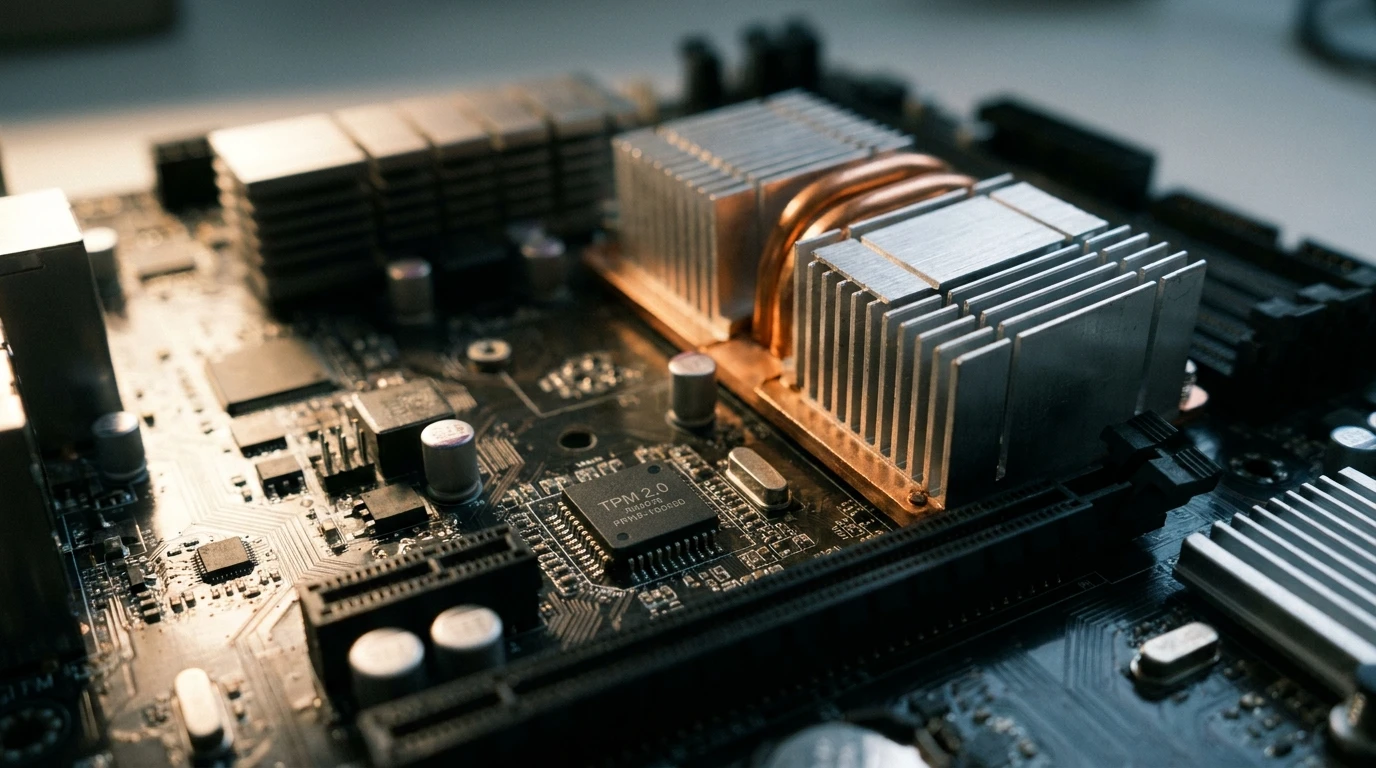
Tucked onto the motherboard of virtually every modern PC is a small dedicated chip that most users have never heard of and cannot point to on a hardware diagram: the Trusted Platform Module, commonly referred to as the TPM. This chip performs cryptographic functions that underpin some of the most important security features in modern computing, and it does so in a way that is specifically designed to be resistant to software-level attacks.
The TPM stores cryptographic keys in hardware rather than in software, which means that an attacker who compromises the operating system or even the UEFI firmware cannot simply extract those keys by reading memory or manipulating software processes. Windows BitLocker drive encryption uses the TPM to store the encryption key that protects your drive. Windows Hello biometric authentication ties its credential storage to the TPM. The device attestation features that allow corporate IT systems to verify that a PC meets security policy requirements before granting network access depend on the TPM to provide a hardware-rooted trust anchor.
The TPM became much more visible to ordinary users when Microsoft required TPM 2.0 as a prerequisite for Windows 11. For most users, the primary interaction with this technology was a brief moment of confusion about why their computer did or did not qualify for the upgrade. But the technology itself has been quietly securing data on modern PCs for years, working entirely in the background without requiring any attention or action from the user.
Inside virtually every Intel processor manufactured in the past decade is a separate computing environment called the Intel Management Engine, running on its own processor cores, with its own operating system, and with access to system memory and network interfaces that exists independently of whatever the main processor is doing. AMD systems have an equivalent called the Platform Security Processor. These are not features that appear on marketing materials or specification comparisons, and most PC users have never heard of them.
The Management Engine was originally designed to enable remote management capabilities for enterprise IT environments, allowing administrators to access, diagnose, and repair computers remotely even when the main operating system has crashed or the machine has been powered off, provided it is connected to power and a network. This is a genuinely useful capability for enterprise IT teams managing large fleets of computers, and it is the reason that features like Intel vPro exist as enterprise management tools.
For home users and most business users, the Management Engine operates silently in the background, consuming a small amount of system resources and performing functions that most people will never directly use or notice. Security researchers have over the years identified vulnerabilities in Management Engine implementations that generated significant concern about the security implications of a computing environment running at this level of hardware access. Most of these vulnerabilities have been patched through firmware updates, which is itself a reminder of how important it is to keep system firmware current even when nothing visible seems wrong.
Every component in a PC operates at specific voltage levels that are different from the voltages delivered by the power supply and different from each other. The processor might require around one volt for its core logic. Memory operates at a different voltage. Storage controllers, USB interfaces, and display outputs all have their own power requirements. Delivering exactly the right voltage to each component, adjusting dynamically as load changes, and doing all of this without introducing noise that corrupts data or instability that crashes the system is the job of the voltage regulation circuitry built into the motherboard.
Voltage regulation modules, commonly referred to as VRMs, are the components responsible for this conversion and regulation, and their quality has a direct effect on system stability, particularly under sustained high load. A processor drawing maximum current during a heavy workload requires its VRM to deliver clean, stable power at the required voltage without faltering. VRMs that are undersized for the processor they are powering run hot, throttle their output under load, and in extreme cases fail in ways that take the processor down with them.
This is why motherboard quality matters for high-performance builds in ways that pure feature comparisons do not capture. A motherboard with robust VRM design keeps a powerful processor stable and performing consistently. One with VRMs that are marginal for the processor they are supposed to power may work fine under light loads and show problems only when the system is pushed, which is exactly when stable power delivery matters most.
The individual components in a PC do not communicate through a single shared bus the way early computer architectures did. Modern PCs use a layered interconnect architecture where different components connect to each other through purpose-designed interfaces, each optimized for the bandwidth and latency requirements of the specific communication it handles.
PCIe, which stands for Peripheral Component Interconnect Express, is the primary high-bandwidth interconnect in modern PCs. Graphics cards, NVMe storage drives, and high-speed networking adapters all connect to the system through PCIe lanes. The number of PCIe lanes available from the processor and the chipset, the generation of those lanes, and how they are allocated among installed components all affect the maximum performance available to those components. Understanding why a high-performance NVMe drive installed in a particular slot runs slower than expected often requires understanding the PCIe lane allocation of the specific motherboard being used.
When people choose to Buy Tech Hardware for a serious build, understanding the interconnect architecture of the platform they are buying into is worth the research time. A processor and motherboard combination that provides ample high-speed PCIe lanes for all the components in a build delivers noticeably different real-world performance than a platform that forces components to share limited bandwidth, even when the processors and individual components appear identical on the specification sheet.
None of this hidden technology requires active management from most users under normal operating conditions. The firmware updates itself when the operating system tells it to. The TPM operates transparently. The Management Engine runs in the background. The VRMs deliver power without any user input. The PCIe interconnect manages bandwidth allocation automatically.
What knowing about it provides is context for decisions that users occasionally face. Understanding that firmware updates matter for security makes it easier to take them seriously rather than deferring them indefinitely. Understanding that TPM capability affects operating system compatibility avoids surprises during major OS upgrades. Understanding VRM quality as a differentiator between motherboards changes how you evaluate options that look identical on a feature comparison table.
The technology inside a modern PC is deeper and more sophisticated than the visible component list suggests. Most of the time, it works exactly as intended and requires nothing from the user. But it is there, doing work that the user experience entirely depends on, completely out of sight.

The Hiring Process has changed dramatically with artificial intelligence. Employers use AI to screen
21 October 2026
Anyone who has researched a topic online knows the routine. You type a query, open eight tabs, skim
5 October 2026
Pre-fab building has come a long way from the temporary homes of the 1940s. Modern modular units are
30 September 2026
Be the first to share your thoughts
No comments yet. Be the first to comment!
Share your thoughts and join the discussion below.